It’s time to look at yet another Unreal Engine 5 Game. And once more, it’s an Early Access title: StarRupture. As with any first look at unfinished games like this, we must keep that in mind. A lot can change over the course of the Early Access Period – content-wise and on the technical side.
But before we get into all of that, let me welcome you to another Linux Gameplay Performance Analysis.
I spent a bit over 15 hours in StarRupture, and what I found was a combination of factory automation, a first-person shooter, and open-world exploration, with some lore to find. Whether there’s actually a meaningful story in the game is not yet clear to me. In any case, as the player you’r a puppet of large corporations that continuously vie for more and more resources. Sounds familiar, doesn’t it?
Regarding performance, the question is whether StarRupture is a typical Unreal 5 heavyweight. Does this game burn down your system, like the fiery in-game eruptions every hour? Or like all the Skynet AI data centers our world at some point?
Let’s find out.
I also have a German version of this video.
Hardware & Software
Although this is already my third post featuring CachyOS, it was the first for which I recorded footage. Bazzite also gets a small spot in the limelight. Unfortunately, it took me a while to get the post and video out. Other topics and private stuff got in the way.
You can see my complete system in the following screenshot. The key players are a Ryzen 7800X3D, an RX 9070 XT, and 32 GB of gold… sorry, I mean RAM, of course.
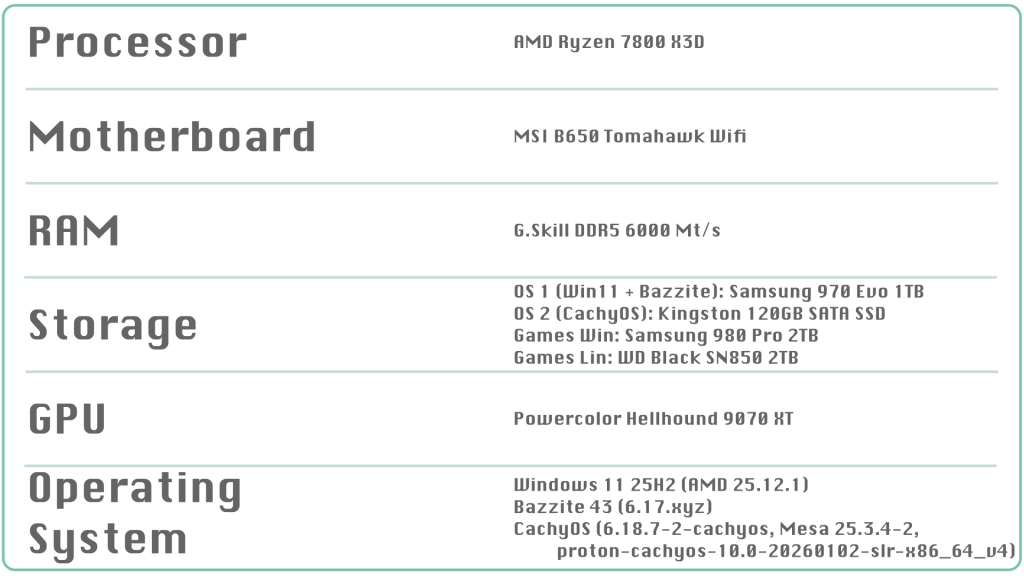
In terms of software, I was a bit sloppy. I can only provide the exact versions for CachyOS: it’s Kernel 6.18.7, Mesa 25.3.4, and Cachy’s Proton build from January 2026.
I can only hazard a confident guess for Bazzite, as it doesn’t receive daily updates. Its Kernel version should be 6.17.something, and I’m using Steam’s Proton. It’s been a while, I’m sorry. I promise I’ll try to do better in the future.
But enough of the lame excuses. Let’s begin with the game’s launch and main menu.
Game Launch & Menu
If I recall correctly, I never had an Unreal Engine 5 game fail in any of my tests so far, and StarRupture is no exception. It just works.
Its main menu is still pretty simplistic and only lets you change the most important settings. This is one area where the Early Access state definitely shines through.
Graphics options are typical Unreal 5, and you can change them without a restart. Sadly, there’s no live preview or sample screenshots. Although the settings affect the live image, they are hard to see because the menu applies a thick blur effect on top.
Upscaling and frame generation are also on board, and other than in Nioh 3, they are where you’d expect to find them. It looks like XeSS is the only tech that’s missing. Sadly, the game’s unclear about the built-in upscaler. I cannot say if it’s TAAU or the better TSR, which I would assume.
One thing I particularly like is that the main menu and game FPS can be set separately. I don’t need 200 frames per second in the menu, so I set mine to 60. I’d be totally fine if that were the default anyway.
If you prefer to play with a controller, then I have bad news for you. Not all core gameplay functions map properly to a gamepad, so you need a keyboard to hand to actually play. For example, you cannot open the build menu otherwise. There are also no accessibility options, and the font size, especially for lore texts, is very small.
In summary, in its current state, StarRuptrue is definitely a game best enjoyed on a monitor with a keyboard and a mouse.
And since I mentioned the monitor, the resolution is native 1440p.
Let’s get to the important part, the performance. After all, the fiery wall of fire is closing in, and the giant corporations demand their resources. Because without copper, there aren’t any watercooler blocks or other wiring for their AI data centers that suck up all of the planet’s energy and push the climate change to a real solar flare. And all of that so we can accidentally press the stupid Copilot button on modern laptop keyboards.
Performance
CachyOS
Let’s start with CachyOS since I have footage for Medium, High, and Epic settings.
Medium
To no one’s surprise, the Medium preset delivers high performance. What did surprise me was how well it ran. At the end of the recording, the average FPS counter showed 190 frames per second. That number includes exploration, a bit of factory, and shooty-shoot.
What stands out most to me is the still-decent visuals. Sure, shadows take quite a hit, and distant details are a bit sparse. But at its core, StarRupture still delivers good value.
Which is the opposite of NVIDIA’s price-to-performance politics.
High
I say it often, and I say it again: High details are almost always the sweet spot to start from in an Unreal 5 game. StarRupture looks very attractive and still delivers well over 100 FPS. Factories can push this down to 100 FPS, depending on size and complexity. In the open world, you can easily see up to 130 to 150 frames per second.
At the end of the recording, the game averaged 115 FPS.
I recently played on High settings with draw distance and foliage quality set to Epic. With that, the game ran perfectly in all situations.
Which is unlike Microsoft’s AI data centers that don’t run at all due to a lack of power.
Epic
If your heart desires the maximum level of quality, you pay for it in performance. Even if my average still exceeds 100 FPS, it can drop to 80. This is especially true when building large factories, and what I’m showing here is a joke given my playtime.
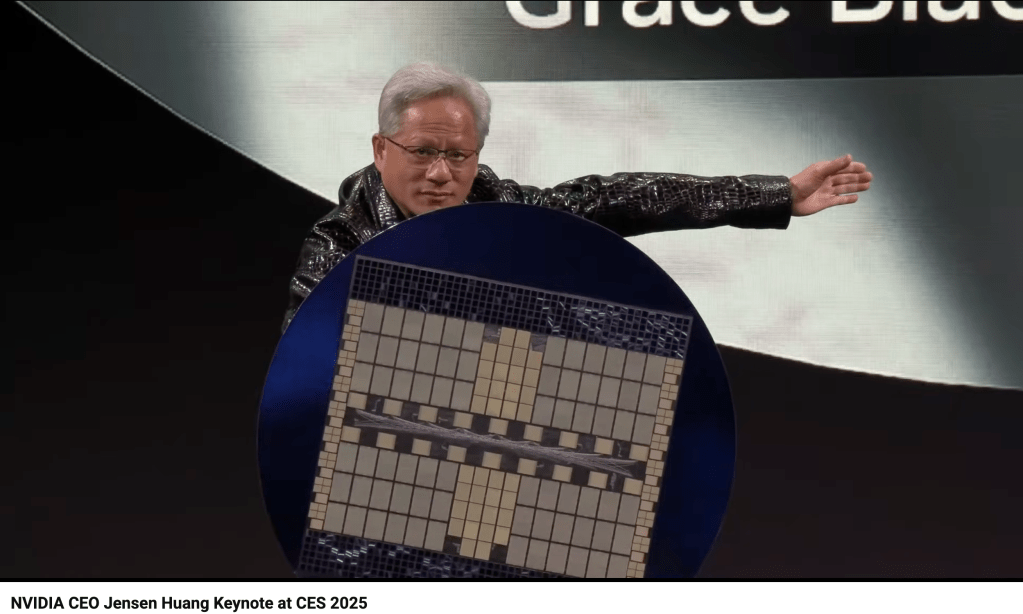
With that said, even 80 FPS plays very well. But expect it to go even lower in much larger factories, or when hordes of enemies try to tear it all down.
In this area, I also have a short direct comparison with Windows 11, which I’ll add next to CachyOS. Based purely on visual judgement, I’d say that Windows renders about 10 frames more on average at the Epic preset. Based on my experience testing Unreal 5 games, I’d consider this normal Linux versus Windows behavior in this engine.
Bazzite Gaming Mode
Lastly, let’s briefly look at Bazzite’s Steam Gaming Mode. In summary, there are no new findings to be found. I’d say that Bazzite and CachyOS are more or less on par in this game. Base building showed about 94 FPS in my most complex factory. During exploration or while fulfilling my pest exterminator duties, my system averages 115 frames on Bazzite.
Screenshots & Image Quality
Screenshots
Let’s take a look at several screenshots to compare the image quality of all the presets and also to get a first glimpse of how Windows compares to CachyOS and Bazzite side by side.
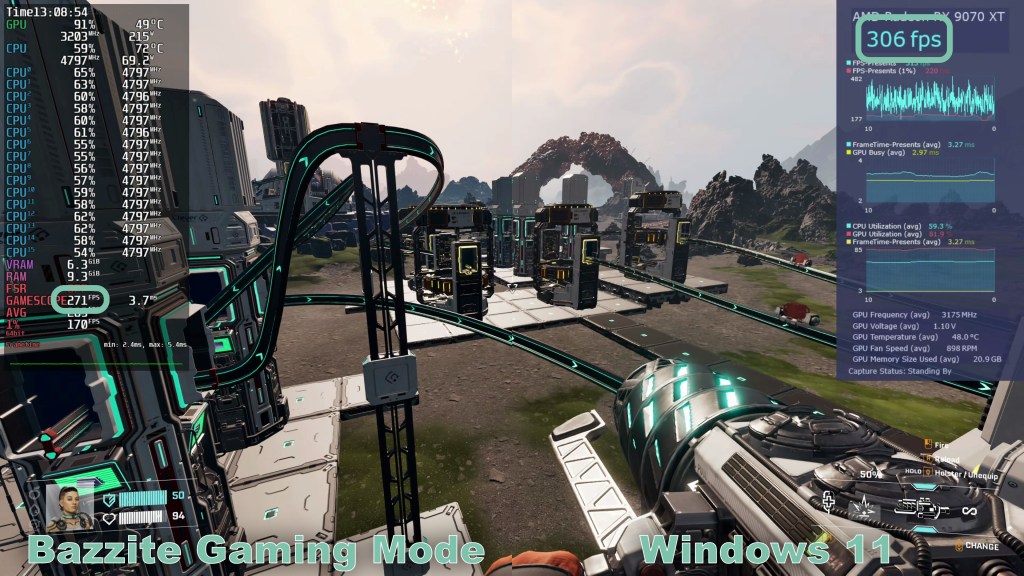
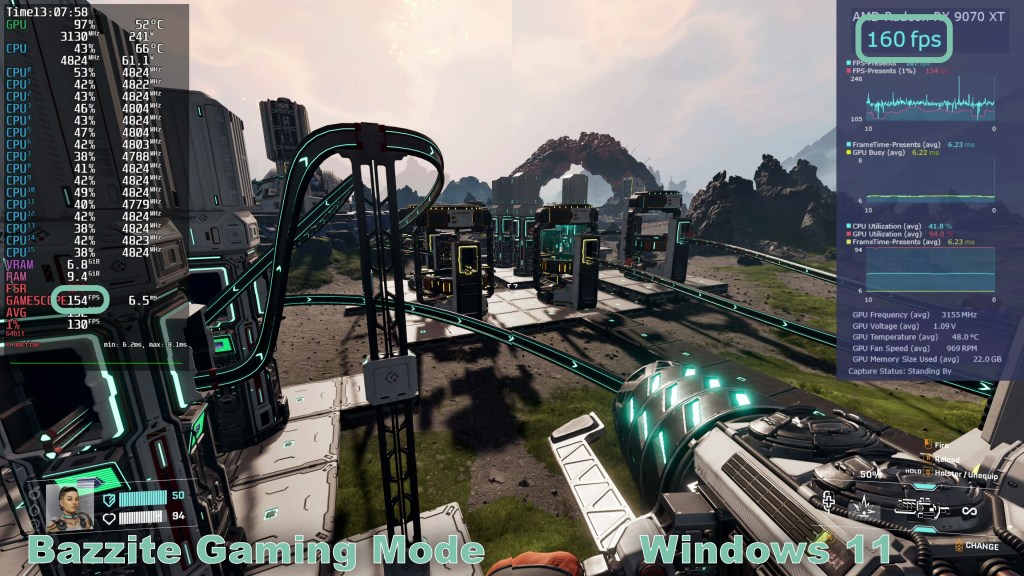
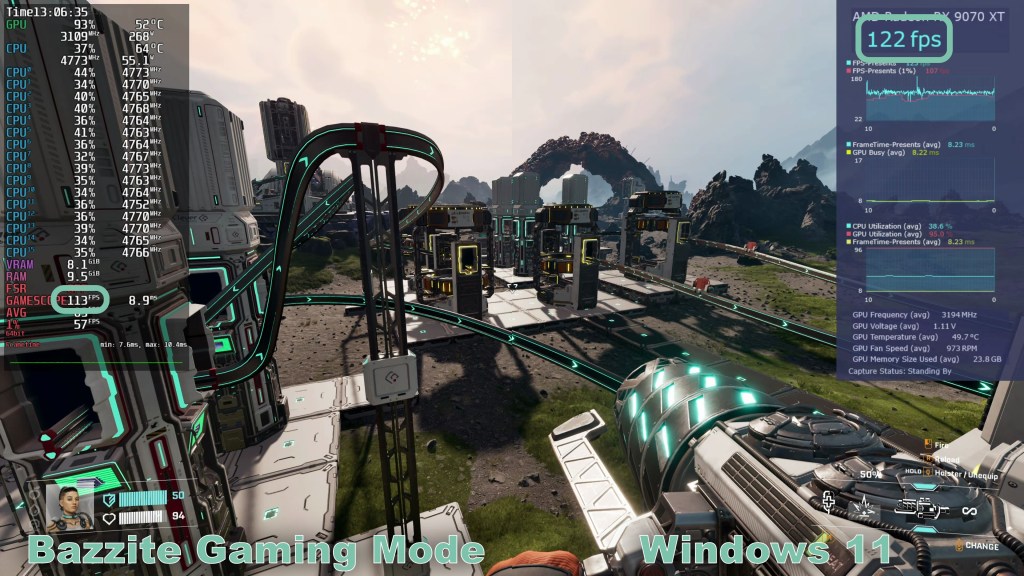
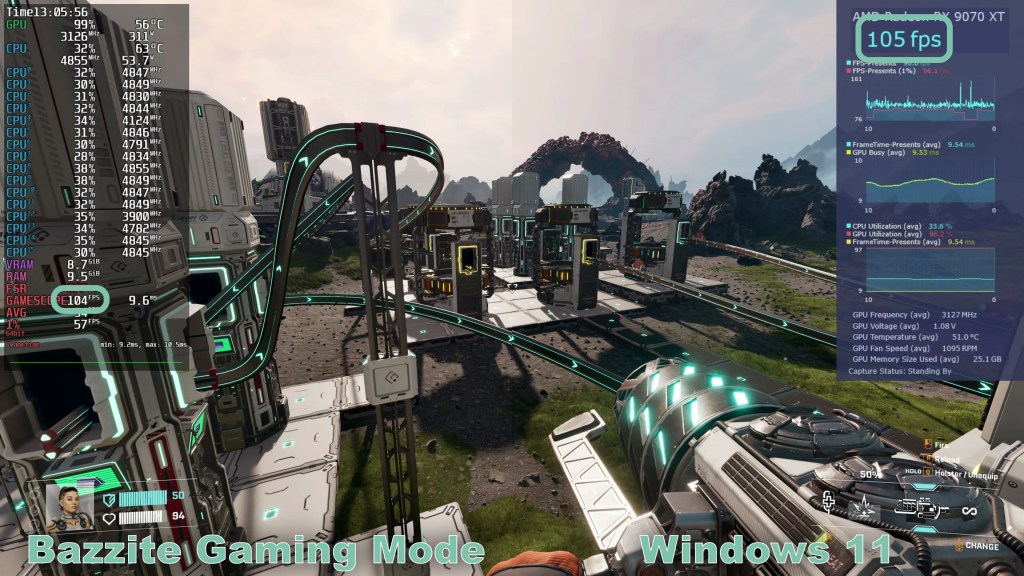
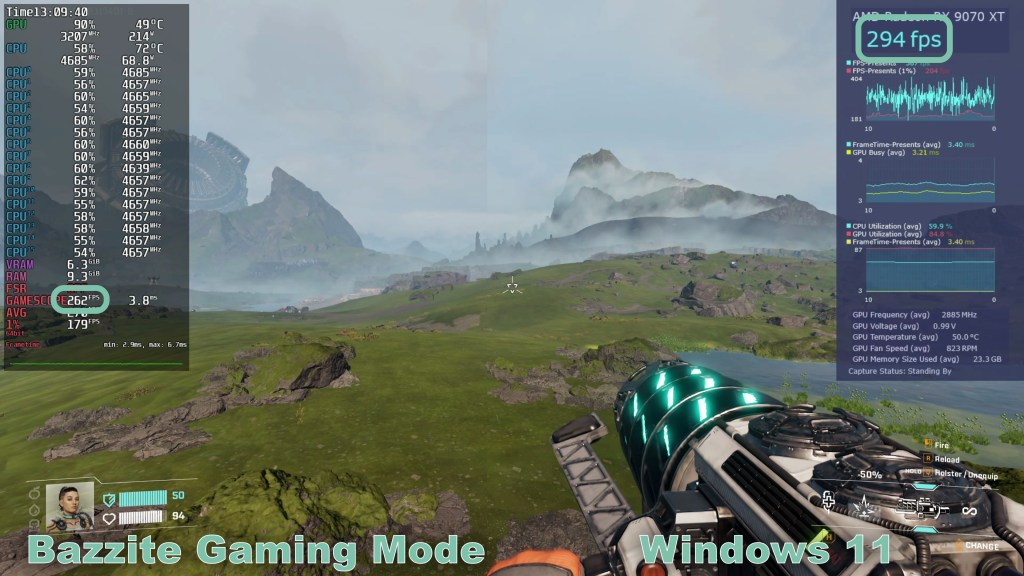
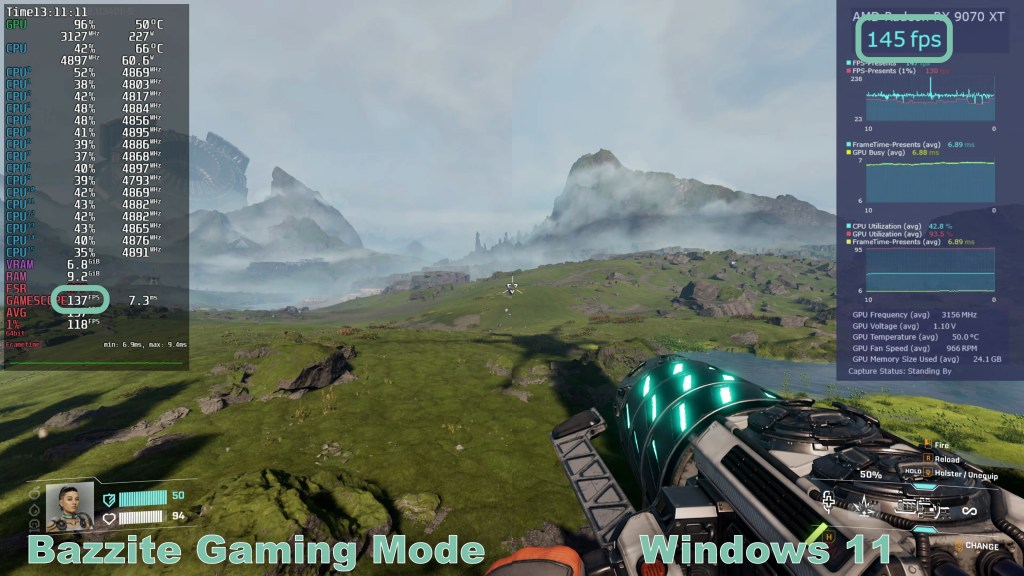
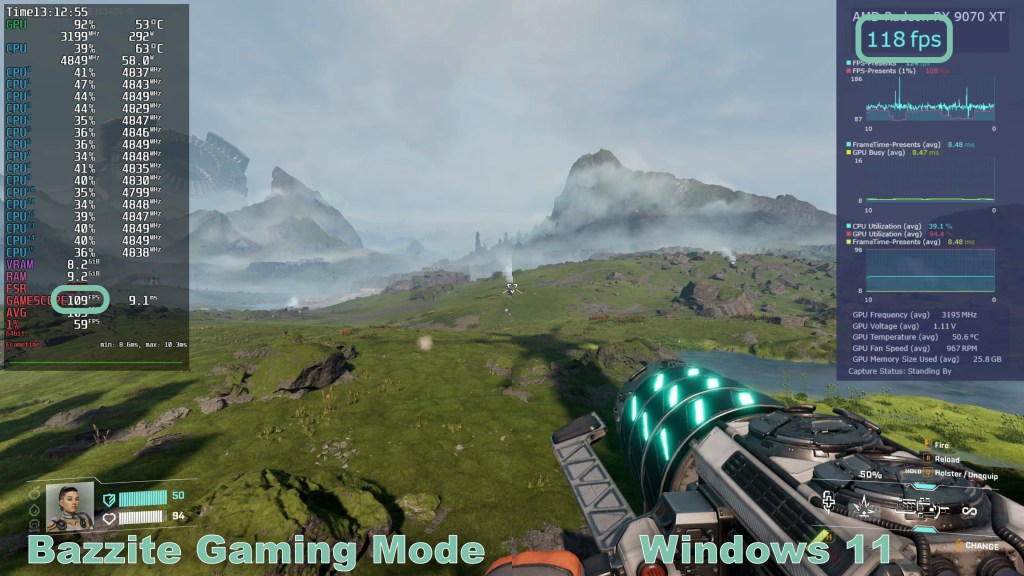
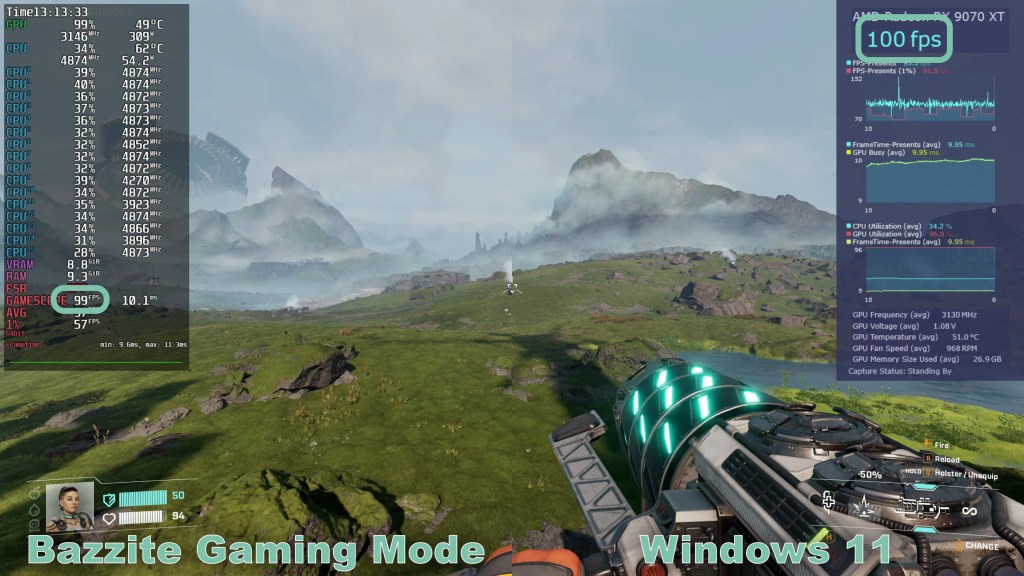
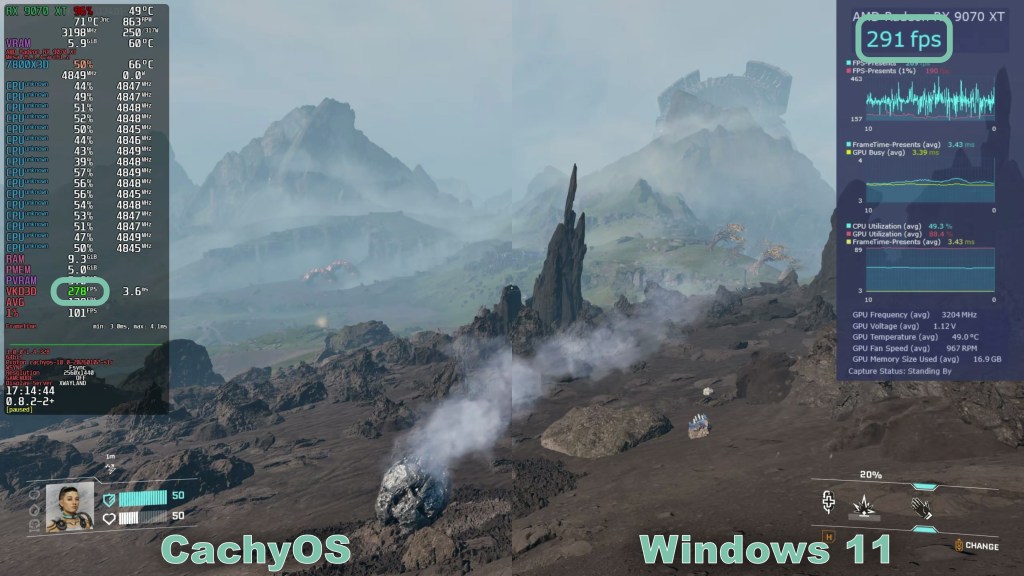
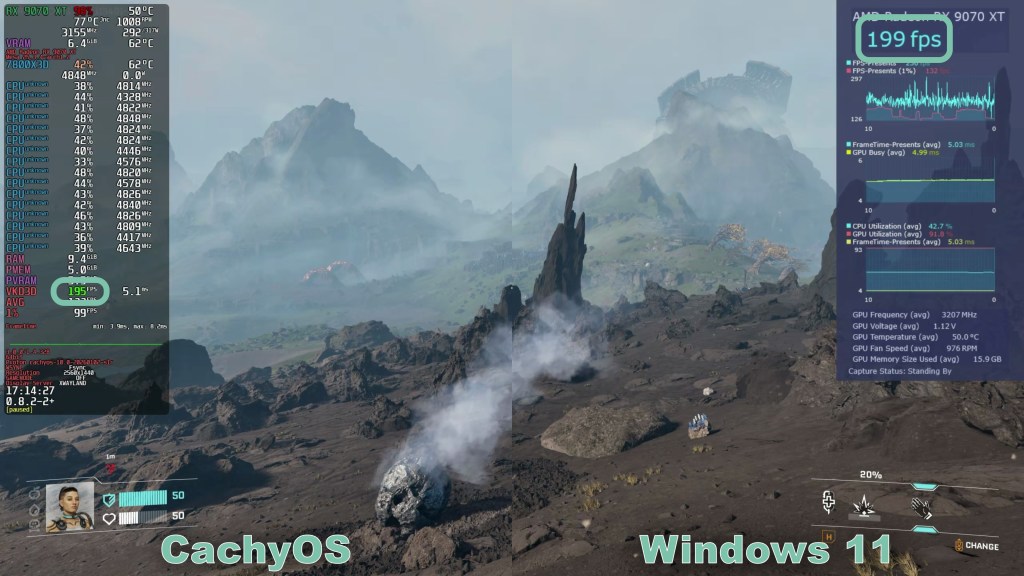
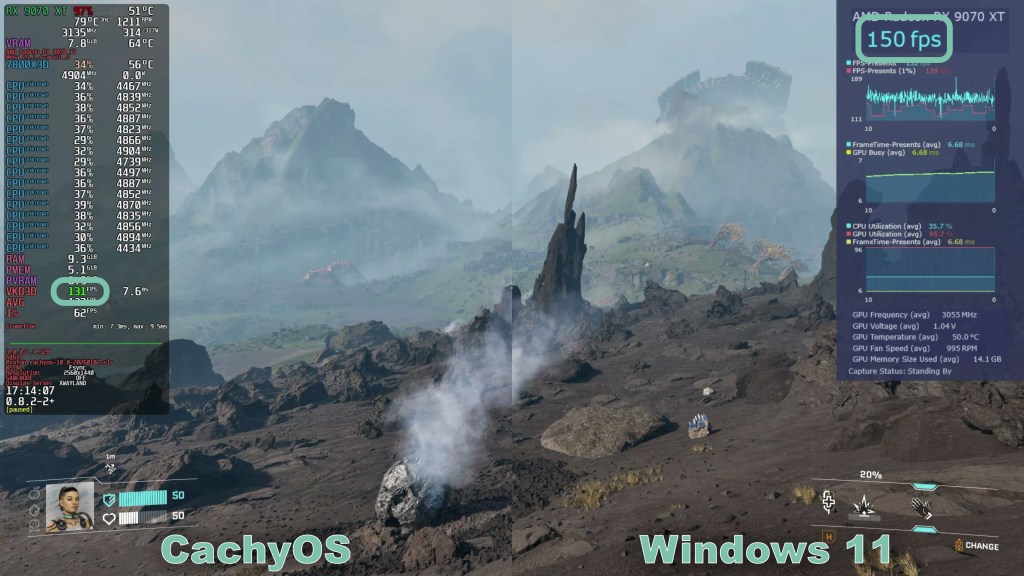
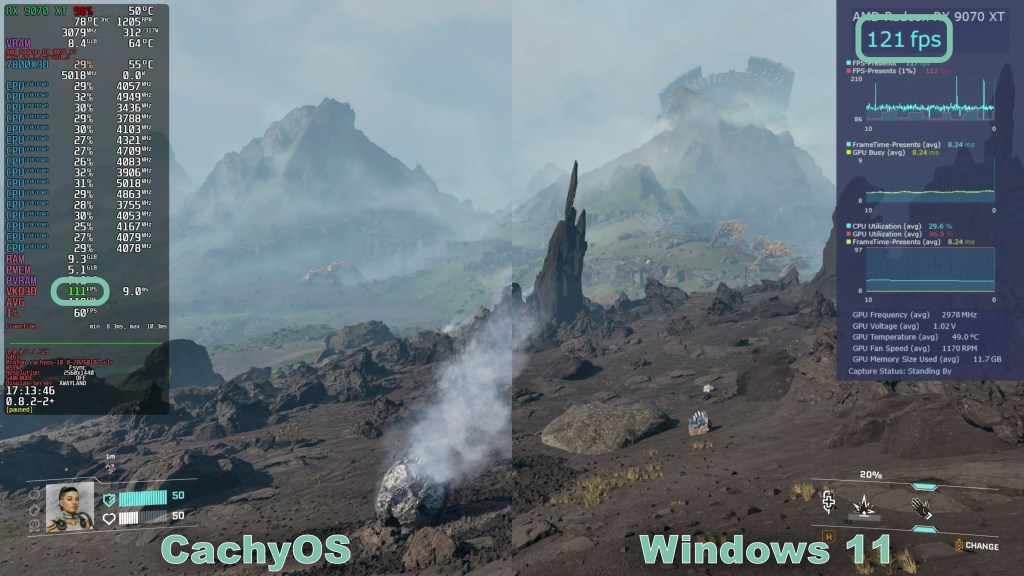
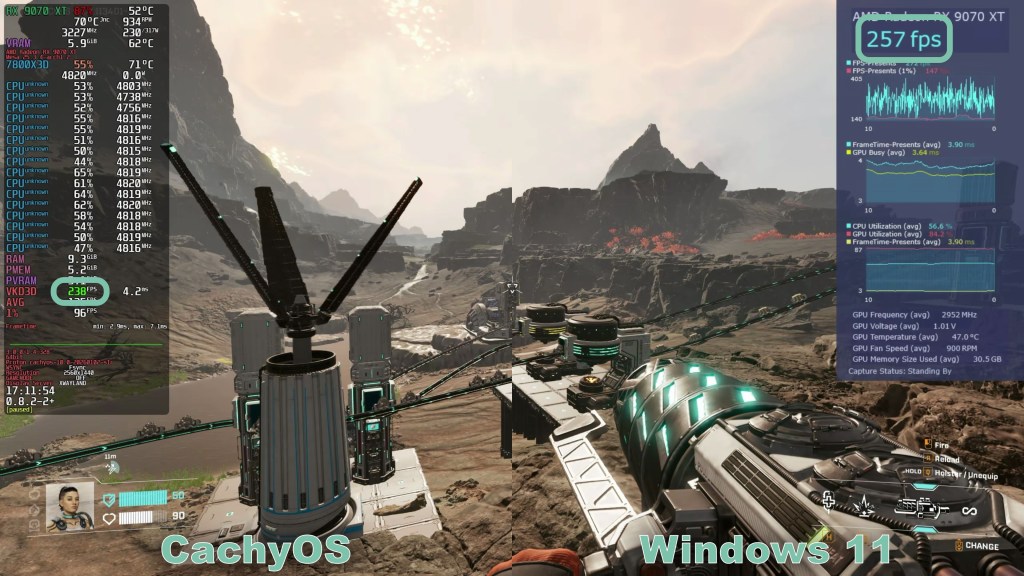
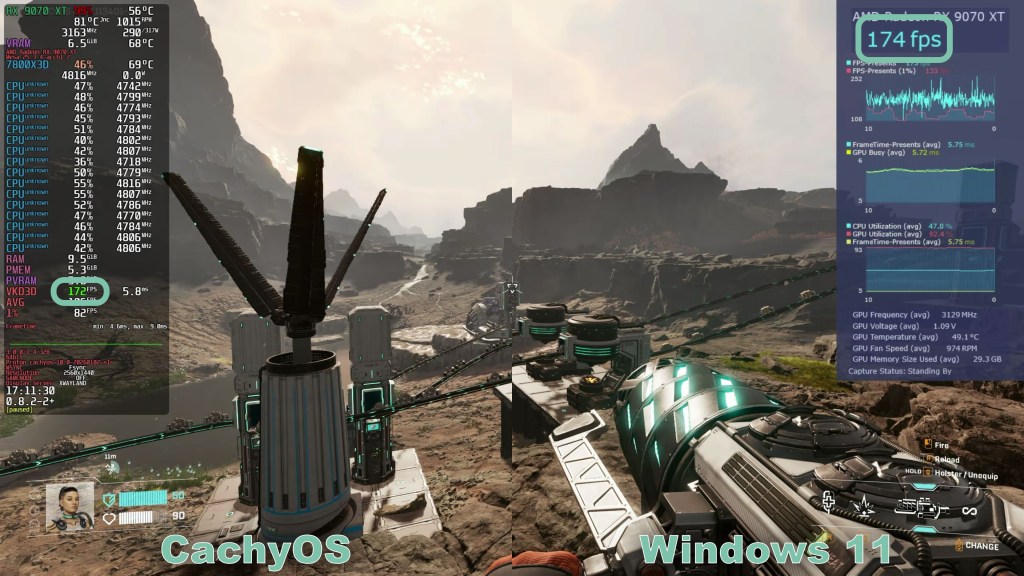
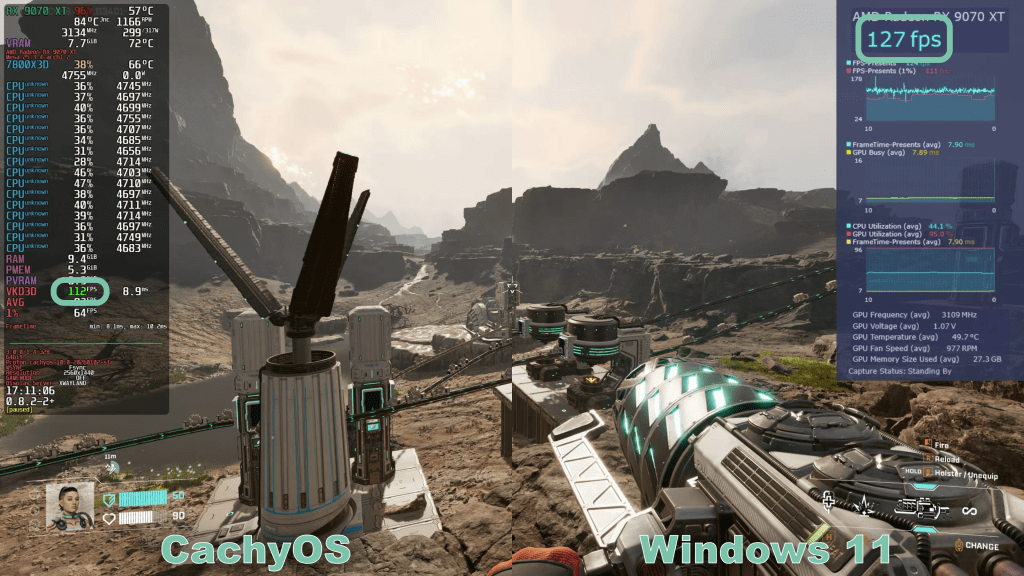
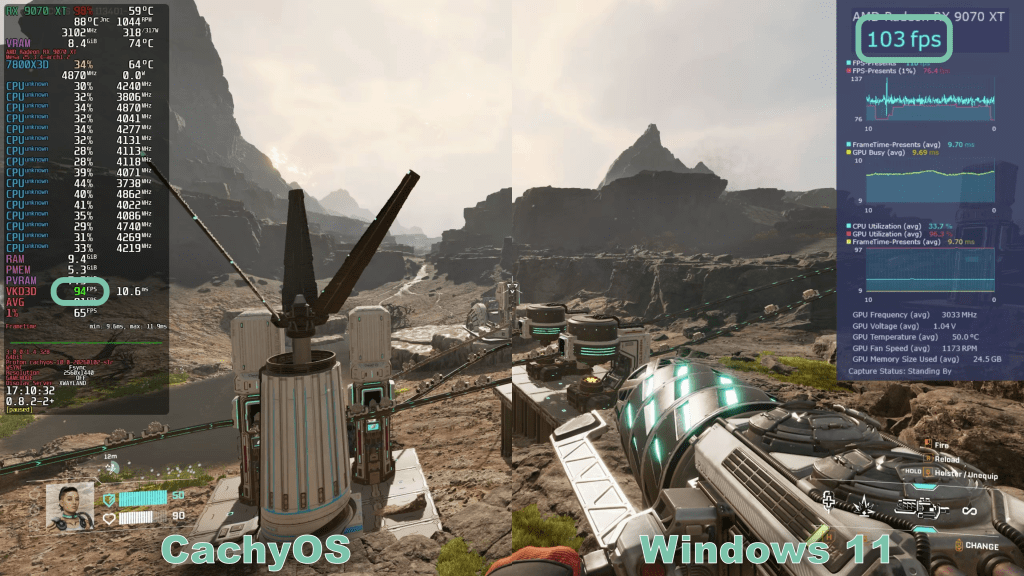
As expected, almost everything that gives depth to the world is missing on the lowest graphics preset. Shadows are almost entirely absent.
When switching to the Medium preset, things start to look decent. But even here, shadows are still very blocky.
I remain convinced that High details are a great starting point for decently performant hardware.
The Epic preset can show more details in the distance in the open game world. But you can also add them by increasing viewing distance and foliage quality, as I mentioned earlier. It also depends on the location, whether that even affects the visuals much.
In terms of performance, Windows 11 is consistently ahead, though it’s close in some cases. Since Linux performance in StarRupture is generally very good, it didn’t matter to me which system I used to play.
Image Quality
During my time in the game, I noticed several things that I’d like to address for a moment.
(I recommend watching the video (what else would I do 😉) for the best visualization. This is impossible to capture in still images.)
First, StarRupture tries to conserve computing resources by rendering resources on transport rails at a lower refresh rate when they are farther from the player. The same applies to the shadows of wind turbines.
I also noticed a lot of pop-in of shadows, vegetation, and some buildings when traversing the open world. The environment itself seems to use Unreal’s Nanite technology, as it appears stable. It looks like the devs are not using it for everything.
Sporadic traversal stuttering is also part of the experience. But I rarely found it intrusive. Most of the time, I only noticed it as a blip on the frametime graph.
But there’s another reason why the game takes a moment to think – a literal moment. I assume it’s because the supply chain computation isn’t 100% optimized right now. I also noticed that watching other players who modified or added to larger factories than what I have. StarRupture really takes a second or two to think and freezes the screen during that time. You don’t necessarily need to be building, but that’s when it happens the most. Luckily, firefights with hordes of enemies were unaffected.
Additionally, I encountered animation errors when moving sideways: The gun or mining apparatus starts to twitch. Which is what I would call it.
And finally, there was a strange flicker on screen that looked eerily like a giant rendering glitch. It doesn’t matter whether you’re in motion or stationary, or what OS you’re using.
So, from a technical perspective, there are still a few issues that give away the game’s Early Access state. But at least it’s a lot more stable than the last Windows 11 update.
Famous Last Words
When we look at the performance in general or just on Linux, then there’s nothing to complain about. StarRupture runs great and walks a fine line between a lot of detail and highly playable framerates. If you look closely at some of the building details, you’ll notice that not all are made of geometry. Some are just textures, and yet neither the buildings nor the world has a flat appearance.
Coming back to the intro, I’d say that StarRupture did not leave any scorch marks.
When it comes to game design, I’d like more fine-tuning of enemy hordes and random spawns. In my opinion, the fun of exploration is hampered by the fact that even in areas you cleared, enemies keep constantly spawning in. This is especially annoying because the game does not pause when you’re reading lore texts. As a slow reader, I cannot concentrate on the lore since oversized insects constantly try to bite me in the ass.
I also came across hordes so large that exploration and the discovery of blueprints were impossible. The only option was a hit-and-run tactic, opening all lootable containers and hoping there’s enough room in the inventory to fit everything in without taking a closer look.
Speaking of which, the inventory also needs an overhaul. It’s too messy and way too small. Ammo and health items are treated equally, and resources are mixed in as well. So, if you want to prevail against large hordes, you need a lot of ammo, which reduces the amount of food and healing you can pack, or you have to compromise when looting. Nobody wants to compromise on looting. Seriously.
And that’s all I wanted to talk about.
If these are still too many points of criticism for you, consider this: Be happy that the developers invested their time in a well-running game. Had this been a Microsoft project, the game would probably only run at 12 FPS while, in the background, a multi-Billion Dollar AI computes whether the insect that’s trying to bite you is actually happy doing it. And with that, good luck and have fun scrounging and building until the rumored 5090 Ti is released and hopefully helps to manage the inventory.
Thank you for spending your time with me today. Have a good morning, afternoon, or evening wherever you are on the globe.
 The Gameslinger