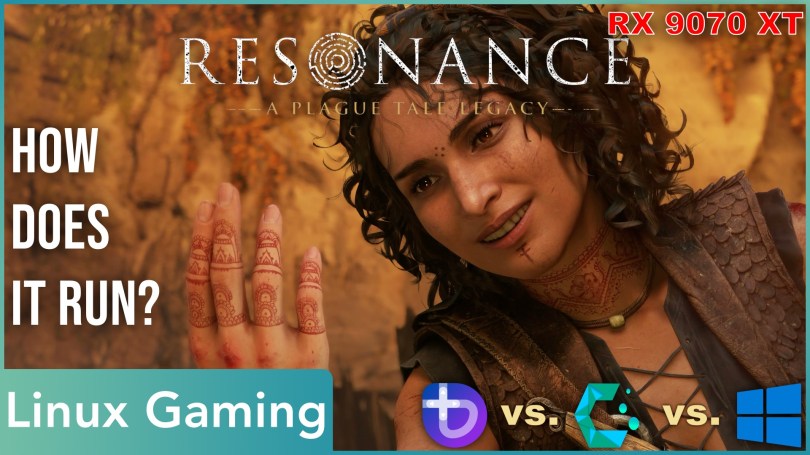
Resonance takes a step back in the history of the Plague Tale lore and tells the origin story of the scavenger Sophia, with whom you have a few adventures alongside Amicia in A Plague Tale Requiem.
With a bit of a delay, which is, of course, totally out of character for me, we’re taking a look at how Resonance: A Plague Tale Legacy behaves on Linux. How does it run in general? How does it compare to Windows? And how do the graphics presets scale visually and in terms of performance?
But the more important question is whether the game can even run well without all the rats or if the game engine refuses to perform well because a Plague Tale game without rats is like Black Metal without Blast Beats.
Let’s find out.
I also have a German version of this video.
Technology
Asobo Studio utilizes its own engine, the Zouna Engine, which has its origins in technology developed by Kalisto Entertainment during the Dreamcast and PlayStation 2 era. From what I could find, this engine was used by several studios under a different name. Among them was also Ubisoft.
Nowadays, it looks like Asobo Studio is the only outfit still working with this tech. If you didn’t know, Zouna doesn’t only power the Plague Tale games. It also provides the upcurrent for Microsoft Flight Simulator.
While Resonance looks eerily similar to A Plague Tale: Requiem, one feature was removed from the game: the rats. Ray tracing! I mean ray tracing, of course.
My tests with two types of AMD cards showed horrid behavior when RT was turned on in Requiem, so I’m not sad to see this technology didn’t make the cut. If I remember correctly, it was only used for shadows anyway, which isn’t the most important thing in my books. Global Illumination or Ambient Occlusion are much higher on my list of preferred RT features, and Resonance could benefit from the latter. The game relies heavily on screen-space information and, as a result, you’ll see how ambient shadows and reflections disappear at the left and right sides of the screen when moving the camera.
But this design decision also has a benefit: The game runs great.
Performance
What you’ve seen so far, running in the background, was the Medium preset on Bazzite. I think the game already looks very attractive and also performs well. You’ll see way over 100 FPS. Performance can drop to around 100 FPS when a lot of NPCs are on screen or during the amazing cutscenes with the beautiful Depth of Field effect.
Let’s now change to the Ultra preset, because hardware like an RX 9070 XT can handle that easily at native 1440p.
As one might expect, the performance drops considerably. You’ll still get a good deal over one hundred frames per second, though. It doesn’t matter if you’re exploring or slashing your way through foes. Only a large number of NPCs will consistently reduce performance, suggesting a CPU limitation. Cutscenes, on the other hand, can now fall well below the 100-mark, given the higher-quality rendering effects. Luckily, VRR-capable monitors are the norm on the PC platform nowadays, which is why I don’t consider this to be an issue. If your GPU is not as powerful, the High preset looks almost like Ultra and performs better. Even Medium is quite handsome. And modern upscaling can also give you a little performance boost while still looking good.
While I’ll show you a few more scenes at the highest quality without Motion Blur and Chromatic Aberration, I’d like to talk about some of the game’s quirks on Linux.
When I first started testing Bazzite’s Gaming Mode with ProtonGE, I noticed that it took about 30 seconds for the first logo to appear. On Windows and CachyOS, this takes at most 10 seconds. I verified this multiple times. It wasn’t just the first launch.
CachyOS was not without flaws either. Quitting the game doesn’t really quit the game. It continues running in the background with a black screen. If you’re lucky, you can still interact with Steam and press the „Stop“ button to force-quit the game. Otherwise, you’ll have to employ the „Task Manager“ of your choice to kill the process. Look for something that starts with „AZE“. Bazzite didn’t have this issue.
Additionally, Resonance doesn’t always cleanly start with a full fullscreen on CachyOS. It’ll launch with a black bar at the top of the screen. To get rid of it, you need to briefly switch to windowed mode and then back to fullscreen.
Besides these minor issues, there was also a bigger problem. Resonance froze at two points in my playthrough – and reproducibly so. The first time, I tried two or three times before giving up and switching to Windows to keep playing. At the second spot, I didn’t mess around and immediately switched over to Windows to finish the game.
However, Windows wasn’t 100 percent ideal either. Unlike in the first few chapters, there were more frequent minor stutters here, which occurred much less under Linux. It seems to me that Resonance also suffers from Unreal engine traversal stuttering – without Unreal Engine 😉. I had already noticed in the Oblivion remake that Linux handles this significantly better than Windows, and it seems to be the exact same case in Resonance. That doesn’t mean it didn’t stutter every now and then on Linux. It was just less severe.
Performance Comparison
Now it’s time to find out how much better Windows 11 performs, because that’s usually how these comparisons go. Please keep in mind that the following comparisons are not a full-fledged benchmark but rather a rough side-by-side comparison to gauge relative performance. I want to find out if it makes sense to play Resonance on Windows for better performance or higher-quality visuals at the same performance, like in AC Shadows.
To collect the FPS numbers, I played the first two chapters multiple times, picked a dozen comparable gameplay moments and cutscenes, and took a screenshot with the performance overlay active. I used an external capture card, so recording does not affect the performance.
There is one scene that’s missing in my Bazzite capture. I considered that when calculating the averages and produced two sets of results.
When it comes to averages, both Linux systems comfortably keep up with Windows. But if we’re being precise, Bazzite and CachyOS run circles around Windows like a clever rogue. CachyOS, like a sly fox, can even make a proper fun of Windows 11.
The moral of the story, clear and true: Windows 11 is slower than the two.
Playing the opening chapters on all three systems, I couldn’t detect any differences. Of course, I cannot say whether the 1%-lows would tell a different story. It didn’t feel like it. Also, I cannot speak for slower hardware, especially CPUs. I’m clearly running a luxury CPU with my Zen 4 X3D chip.
In summary: the gameplay felt very good to me, and I play Resonance on CachyOS instead of Bazzite for a change.
System                    Bazzite   CachyOS   Windows 11
--------------------------------------------------------
Sand Combat Face-Off      125       129       124
Sand Combat Sparks        136       138       124
Sophie Close-Up           135       145       126
Canals                    123       127       119
Jump Assassination        146       148       141
Carnival                  112       128       125
Big Fight At Docks        113       126       135
Fight At Docks Cutscene   105       102        99
Burning Hideout Cutscene    -       100        93
Burning Hideout Overview  110       116       106
Burning Duel Cutscene      92        92        89
Beach                     117       119       110
--------------------------------------------------------
Excl. Burn. Hideout Cut.  119,4     124.5     118.0
All 12 Scenes               -       122.5     115.9
Screenshots
You’ll notice the largest performance drops going from Low to Medium and from High to Ultra. I’d strongly recommend the Medium preset if your hardware can handle it. The lowest settings are missing many shadows, making the game look quite flat. High and Ultra add a few more details and higher-quality effects, but they aren’t a revelation. If you’ve got it, flaunt it. But you won’t miss out on too much if you’re not playing on Ultra.
Independent of the graphics preset, you should always change the texture quality to the highest value your GPU can handle with its VRAM. My gut feeling and footage tell me that the sweet spot for 8 GB cards is High quality. I definitely saw usage exceeding 8 GB with the Ultra preset. Textures are a setting that requires a game restart. You cannot change it on-the-fly, only from the main menu.
Regarding the screen space artifacts, there’s not much you can do to eliminate them. Unless you want to play on the lowest quality preset 😂.
Famous Last Treasure Hunt
From a technical perspective, Resonance: A Plague Tale Legacy is great. It looks beautiful, especially the characters in the cutscenes, which look spectacular, and it runs as fast as Amicia running away from a horde of rats. My only gripe is the screen-space artifacts, but you also won’t have to deal with ray-tracing noise. Pros and cons.
Asobos Studio definitely created a great-looking, performant game.
When I’m not admiring the beautiful environments or fantastic characters, I enjoyed the way more action-oriented gameplay compared to the other Plague Tale titles. Going full-on, aggressive, in-your-face action is just a blast and much more fun than in the Black Flag remake. I also haven’t been annoyed by any of the puzzles yet – and I’m not really a puzzle fan – and the unexpectedly dark horror-like elements mix up the gameplay nicely. Well, actually, „nicely“ is a bit of a stretch since it makes it way more intense and puts me at the edge of my seat. Anyway, I’m not all the way through yet, but I’m absolutely enjoying the gameplay, the story, and the dynamic between characters. Resonance definitely took a lot of what made Uncharted great.
Thank you for reading.
I hope you have a relaxed treasure-hunting day, wherever you are.

