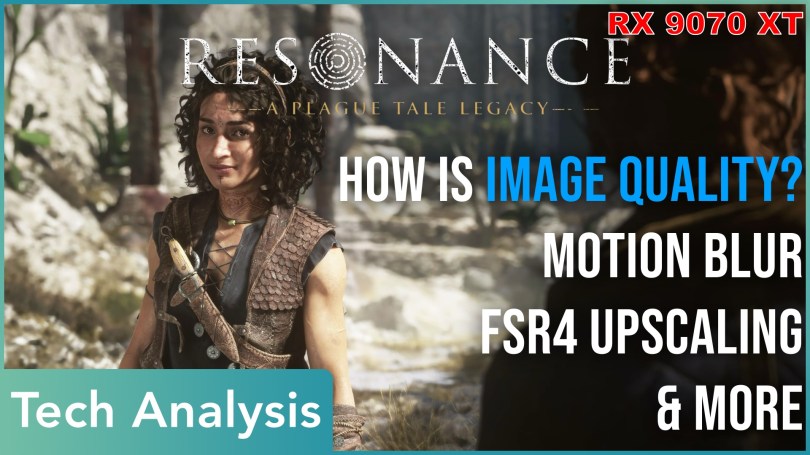
Asobo’s graphics tech may not be the most advanced compared to other contemporary engines, but it still looks beautiful in Resonance. In my performance analysis, I already mentioned a few things worth a closer examination. The most obvious were the many screen-space artifacts, but there are a few more.
We’ll check out the screen-space issues in more detail, compare FSR4 upscaling to native rendering, and tackle every PC gamer’s favorite topic: Motion Blur.
So, let’s go smear Vaseline all over our screens and get it over with so that we can enjoy crisp images afterward.
Motion Blur
Motion Blur is a divisive topic. Some like it, like John Linneman from Digital Foundry, and almost every other PC gamer doesn’t. I’m in the “it depends” camp because it does depend on the implementation. I have played games with Motion Blur enabled and enjoyed it. Which brings us to Resonance.
It’s atrocious. Really, really bad. Nauseating even.
The effect’s intensity does vary a bit depending on the scene, but for the most part, it’s really just a smeary film of ugliness across the screen. Reducing the quality from Ultra to Low only affects the quality, not the amount of blur applied to the image. The best course of action is to disable it in this game, plain and simple.
Screen-Space Artifacts
Screen-space artifacts apply to water surfaces and ambient occlusion. As is the case with Motion Blur, the only way to eliminate these artifacts is to disable the effect. Unfortunately, this severely impacts the visual presentation, so I do not recommend it unless you need to claw back performance.
The game does not have a somewhat acceptable fallback for reflections. If you disable them, water surfaces look dull and flat. In the end, I found it distracting in a few scenes, but not bad enough to accept the tradeoff of no reflections at all. Ambient occlusion is the same thing, only that it’s obvious everywhere if you know to look for it. It’s less visible in the game’s dark areas, because, you know, shadowing in the dark, kinda hard to notice.
It’s most obvious at the screen’s left and right edges, especially in areas with water.
Ghosting
Before we get to the most interesting part, let’s quickly check occlusion artifacts from small particles, like leaves. Honestly, I didn’t notice it at all while playing the game, because my focus was on other parts of the image. Only by going back and deliberately searching for them did I see ghosting artifacts. I cannot say how DLSS handles this situation, but the native renderer and AMD’s FSR4 cannot eliminate the ghosting trails I show here.
FSR4 Upscaling
Besides better performance, I see two benefits to using FSR4 upscaling.
- A sharper image.
- Better resolving of fine particles, especially in the burning hideout.
You may have already noticed this phenomenon in the screenshot section of my performance analysis. I included screenshots with FSR4, and the increased number of embers in the air is also noticeable in pictures. One small downside: Using quality upscaling at 1440p shows more particles, but they also appear a bit more unstable. FSR4 native has the best image quality.
Other particles are less affected, such as fine dust or blue sparkles in tombs and temples. They seem coarse enough that the native renderer doesn’t have problems. I also don’t see any distracting shimmering comparing native FSR4 versus Quality upscaling.
Looking at foliage, I see two effects. Swaying grass in the foreground is sharper with less ghosting. Trees farther in the background look slightly different, though I cannot say whether one looks better than the other. It’s just different.
Another thing I looked at was image stability, with a focus on fine lines, such as in building geometry. Here, the verdict is less clear. I’d still give FSR4 the win, even the upscaled version, but it’s not a blowout. You can still notice shimmering on the buildings in the background. However, if you were to enable Motion Blur, which you shouldn’t, it would mask these instabilities. You know, just in case that bothers you more than grease all over your screen.
The last improvement is a generally sharper, higher-resolution appearance with FSR4. It doesn’t matter if you utilize native FSR4 rendering or upscaling. I’m not sure if it comes across on YouTube. My footage is 1440p gameplay that I render and upload to YouTube as 4K. The effect might get lost in translation.
Overall, FSR4 native definitely takes the win, then come the upscaling modes. At 1440p, I’d still prefer Quality upscaling over the game’s built-in TAA native rendering. Most of my playthrough was at 4K with Balanced upscaling, and the only occasional distractions came from some fine geometric detail. But again, the game’s native renderer wasn’t better either.
For best image quality, you want to engage a native LLM-based solution. In the case of FSR4, this comes at a small cost, though.
I used Windows for this capture and tested at the 2560×1440 resolution. The game’s native renderer produces around 98 FPS overlooking the ruins with the big statue. It’s a scene with a lot of foliage and geometry. FSR4 native drops to around 88 FPS, whereas FSR4 Quality reaches 117 FPS.
We see a similar result in the burning hideout. The game’s native TAA reaches almost 100 FPS, FSR native achieves around 92 FPS, and Quality upscaling gets you to roughly 120 FPS on an RX 9070 XT.
In the last scene, we get higher performance with 120 FPS as the baseline, 108 with FSR4 native, and a bit over 140 with Quality upscaling.
Crashes
I believe I already mentioned that my playthrough was interrupted by a few crashes of the game. I cannot say if Windows is more stable, since I played the majority on CachyOS. But Cachy wasn’t the only OS to have problems. In my tests for this blog post, and during an attempt at a second playthrough, Bazzite also crashed. Interestingly, it was in an early location that had worked fine before. At least on Cachy, one crash location was repeatable.
Make of that what you will. I just thought to mention it one more time, since Bazzite now also caused some issues.
Famous Last Analysis
This concludes my coverage of Resonance: A Plague Tale Legacy. It’s an amazing and beautiful game. Asobo’s engine is plagued by a few visual artifacts that stem from how some effects are implemented. But what you don’t get, however, is something like the typical Unreal Lumen or Remedy Northlight noise. If you really want to force it, you can get reflections to be noisy by reducing the effect’s quality to Low. You’d still not see any of the boiling that usually comes with Lumen.
And that’s all I have.
Thank you for reading and bearing with me during my Resonance obsession. I hope your days are free of greasy Motion Vaseline Blur, wherever you are.

